Table of Contents
Arbrea Breast offers powerful 3D and Augmented Reality (AR) simulation modes, allowing plastic surgeons to provide interactive, real-time visualizations for breast augmentation consultations. By switching between 3D mode and AR mode, surgeons can enhance patient engagement and improve pre-operative planning.
How to Simulate in 3D Mode #
- Open Arbrea Breast and select the patient’s case.
- Click on the 3D Mode option to activate the fully interactive 3D simulation.
- Rotate, zoom, and adjust the perspective to analyze the breast augmentation simulation from all angles.
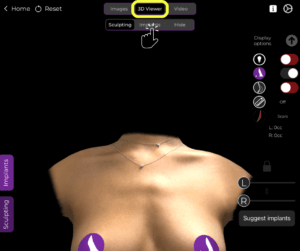
Why Use 3D Mode?
- Provides a detailed and realistic visualization of breast volume and projection.
- Allows for precise modifications based on surgical planning.
How to Simulate in Augmented Reality (AR) Mode #
- Switch to AR Mode by selecting the AR Simulation option.
- The system will overlay the simulated breast augmentation directly onto the patient’s live image.
- Move the device around to see real-time changes from different angles.
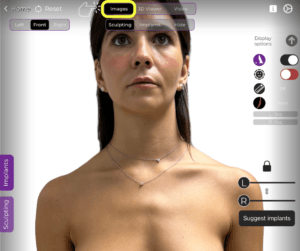
Benefits of AR Mode:
- Enhances patient engagement by providing a realistic, interactive preview.
- Allows patients to see potential results in real time on their own body.
- Improves decision-making and confidence in the chosen procedure.
Changing the View During Simulation #
- Adjust the viewing angle by tapping and dragging on the screen.
- Use zoom and rotation gestures to refine visualization.
- Switch between 3D Mode and AR Mode seamlessly to provide different perspectives.
Why This Matters?
- Helps patients better understand the expected results.
- Provides multiple viewpoints to aid in surgical planning.
Conclusion #
The 3D and AR simulation tools in Arbrea Breast provide an innovative and interactive approach to breast augmentation consultations. By utilizing real-time 3D modeling, augmented reality overlays, and dynamic viewpoint adjustments, surgeons can enhance patient confidence and consultation efficiency.
For more guidance, watch the full video tutorial below.


Responses