Arbrea Breast offers a powerful Bookmark feature that allows plastic surgeons to save and compare multiple implant options, enhancing patient consultations and pre-operative planning. By utilizing implant selection, catalog filtering, and real-time comparisons, surgeons can guide patients through their options more effectively.
Selecting an Implant from the Catalog #
- Open Arbrea Breast and navigate to the Implants Catalog.
- Choose from a variety of implant brands and models.
- Select the implant shape, size, and projection based on the patient’s needs.

Benefit: The catalog provides a wide selection of implants, covering major brands and options.
Filtering the Catalog for Precision Selection #
Since implant catalogs include multiple options, filtering helps narrow down selections:
- Filter by Diameter – Ensures a proper fit for the patient’s breast base.
- Filter by Volume – Helps maintain proportional aesthetics.
- Filter by Projection – Choose between Low, Moderate, High, or Extra-High Projection.

Advantage: The filtering system makes it faster and easier to find the best implant for each patient.
Saving Multiple Implant Simulations Using Bookmarks #
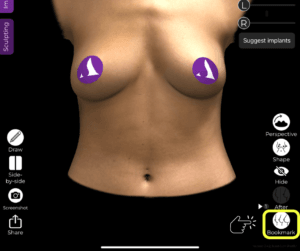
- Once an implant is selected, click the Bookmark button to save it.
- Select a second implant and bookmark it as well.
- Repeat this process for multiple implant options.
Why It’s Important?
- Allows for quick comparisons without needing to reapply implants manually.
- Helps surgeons present multiple options efficiently.
Switching Between Different Implant Options for Comparison #
- Open the Bookmarks section to view saved implant options.
- Toggle between different implants to visualize changes in real time.
- Compare size, projection, and overall aesthetic impact side by side.


Benefit: Patients can clearly see how different implants will affect their appearance, making it easier to make an informed decision.
Conclusion #
The Bookmark feature in Arbrea Breast simplifies implant selection and comparison by providing an efficient, real-time visualization tool. By utilizing implant filtering, simulation refinements, and instant comparisons, surgeons can enhance consultations and achieve precise pre-operative planning.
For more guidance, watch the full video tutorial below.


Responses