Table of Contents
Arbrea Suite seamlessly integrates with Lindapp, allowing plastic surgeons to import patient models and simulations efficiently. This feature enhances consultation workflow, improves patient communication, and ensures high-quality simulations for pre-operative planning.
How Importing Pictures from Lindapp Saves Time #
- Lindapp allows you to save time during consultations because the patients take the pictures themselves
- Once you import the images into Arbrea Suite, surgeons can immediately start simulations without taking new photos.
Why It’s Beneficial?
- Optimizes workflow by reducing in-clinic imaging time.
- Allows for pre-consultation planning, so the surgeon can assess the case before the appointment.
How Importing Pictures Improves Communication with Patients #
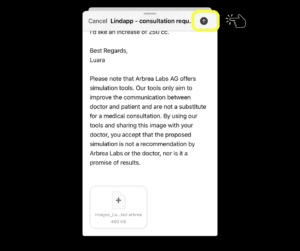
- Patients can take their own photos via Lindapp and send them before their consultation.
- Surgeons can review, edit, and simulate results in advance, leading to more informed discussions during the appointment.
Advantage:
- Patients actively participate in their treatment planning.
- Provides better visual understanding of expected surgical outcomes.
How to Import the Simulation from Lindapp to Arbrea Suite #
- Open Arbrea Suite and go to the Patient List.
- Click on it and you will see the Add Patients from File or Backup.
- Choose the patient’s uploaded images.
- The system will automatically load the images into the simulation environment.
Why It’s Important?
- Saves time by eliminating redundant image uploads.
- Provides a seamless connection between Lindapp and Arbrea Suite.
How to Import the Simulation with Good or Enhanced Quality #
- When importing, select the image quality setting:
- Good Quality – Faster processing, recommended for standard consultations.
- Enhanced Quality – Higher resolution for detailed analysis and presentations.
- Once imported, begin the simulation process within Arbrea Suite.
Benefit:
- Flexible quality options depending on consultation needs.
- Enhanced clarity for precise modifications and surgical planning.
Conclusion #
The Lindapp integration in Arbrea Suite simplifies image importation, improves patient communication, and enhances simulation efficiency. By utilizing remote image uploads, seamless data transfers, and high-quality simulation options, surgeons can optimize their pre-operative planning and consultations.
For more guidance, watch the full video tutorial below.


Responses